 Projekt
Every project you work on, one click away
Projekt keeps your coding projects in one place. Open any of them in your editor or terminal with one click and run the commands you use every day without typing them again.
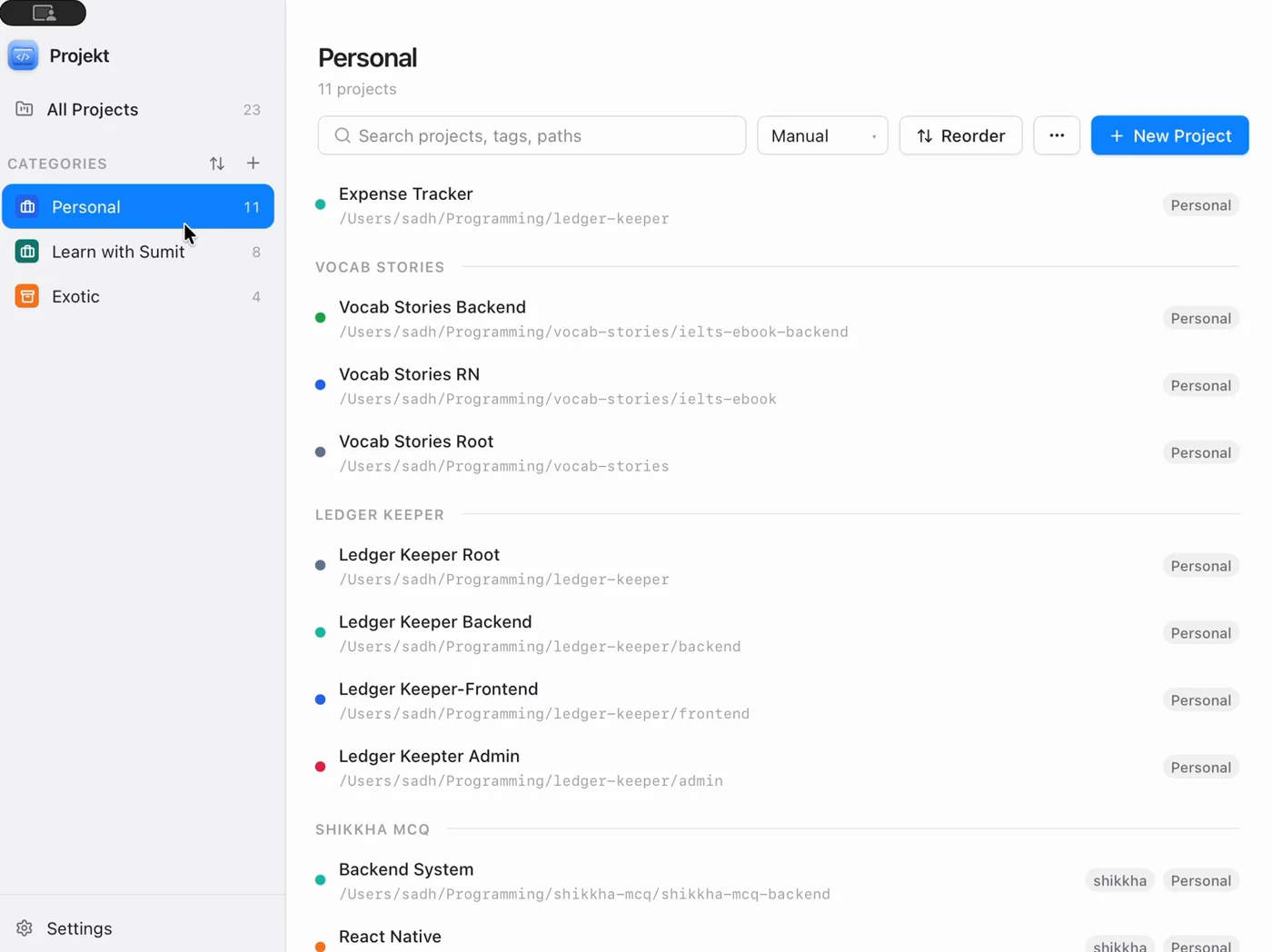
Stop hunting for folders and retyping commands
If you work on more than a few codebases you know the routine. Find the folder. Open the editor. Open a terminal. Type the same command you typed yesterday. Projekt turns all of that into one click.
All your projects in one list
Add a project folder once and it stays in your list with its path, tags and color. Search by name, tag or path instead of digging through Finder or File Explorer.
Open your editor or terminal in one click
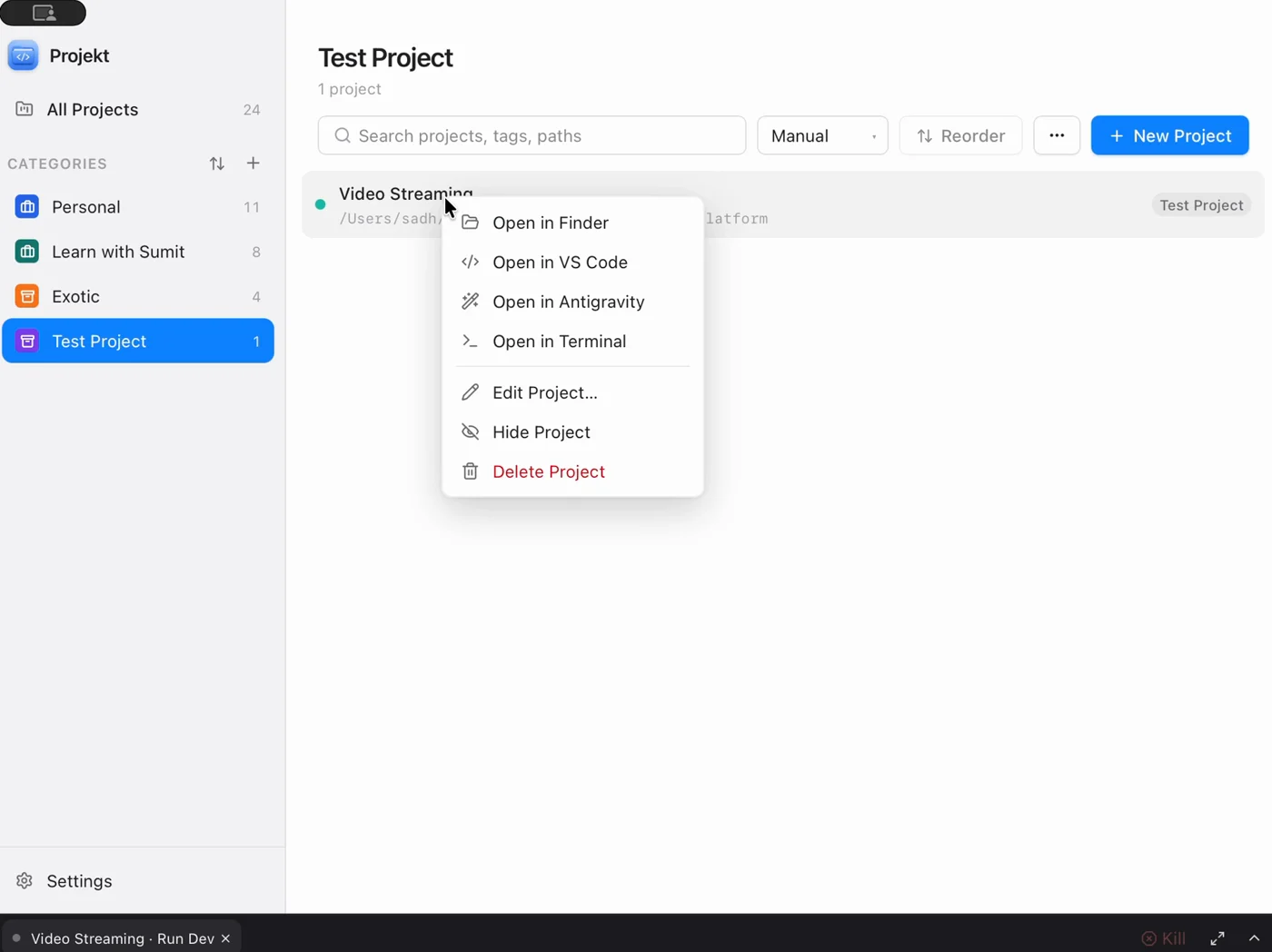
Right-click a project to open it in VS Code, Antigravity, Finder or Terminal. You can add any other app you use as a launcher.
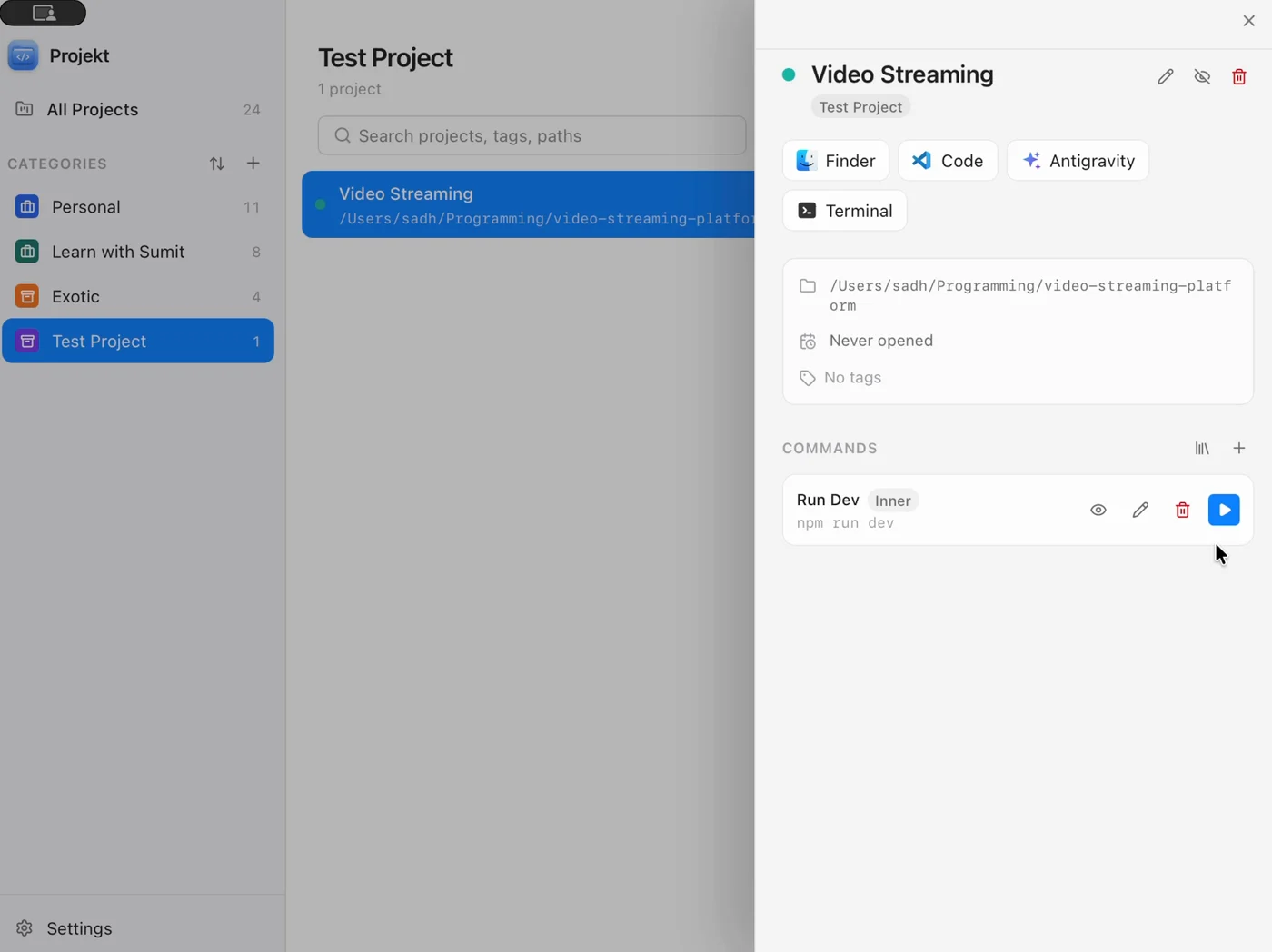
Run the commands you type every day
Save commands like npm run dev, docker compose up or git pull with each project and run them with one click. They can run in your own terminal app or in the terminal built into Projekt.
Organize it the way you work
Group projects by client, team or side project. Add dividers, drag projects into the order you want and Projekt opens right where you left off.
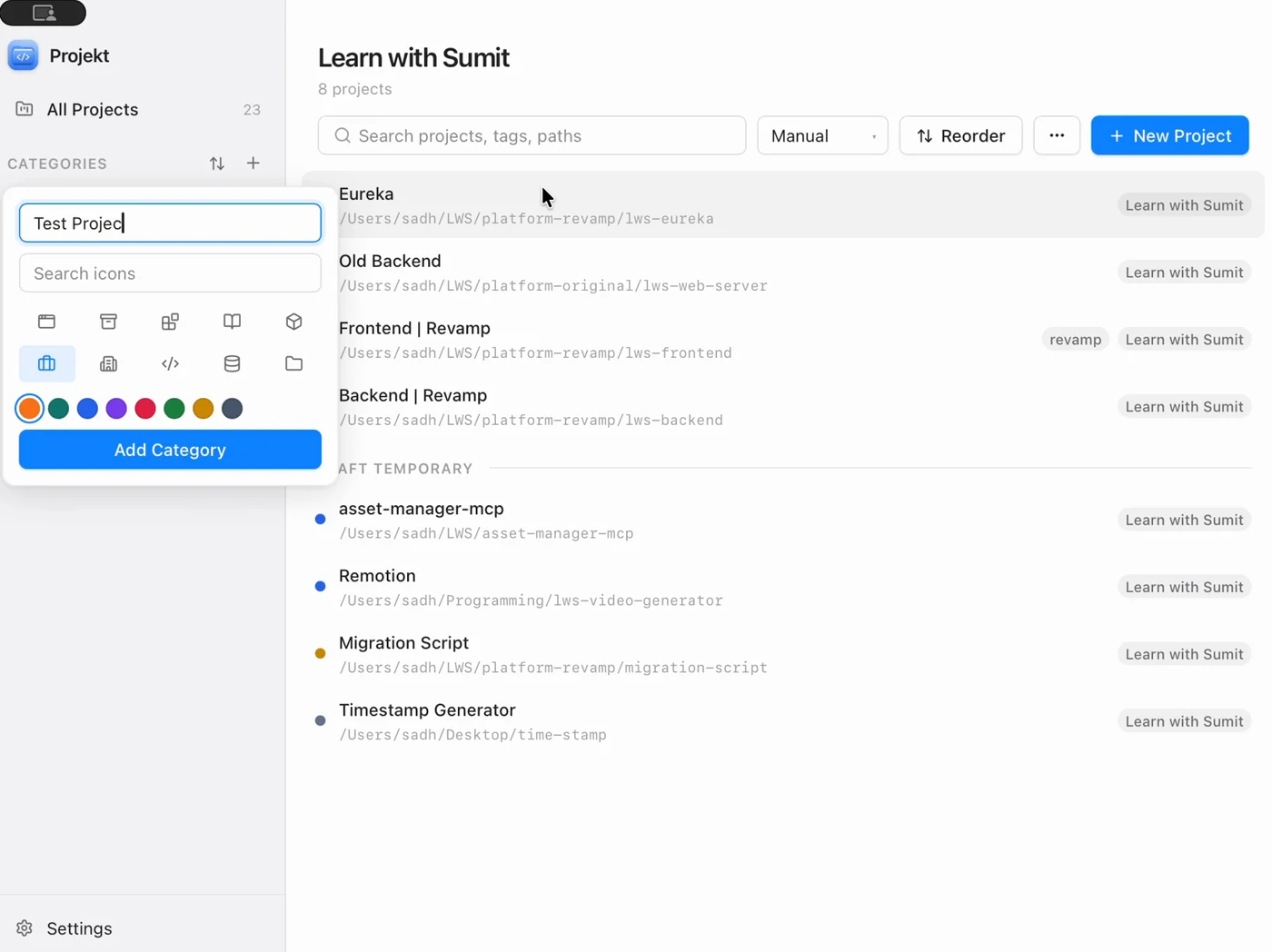
See Projekt in a little over a minute
Create a category, add a project from a folder, save a command and run it in the built-in terminal.
Get Projekt for your computer
The download always points to the newest release on GitHub. Your system asks you to confirm the first launch because Projekt isn't signed by Apple or Microsoft yet.
macOS
Works on Apple Silicon and Intel Macs.
The first time you open it, right-click Projekt in Applications and choose Open.
Windows
Works on 64-bit Windows 10 and 11.
If SmartScreen shows a warning, click More info and then Run anyway.
Questions people ask
What is Projekt?
Projekt is a desktop app that keeps all your local coding projects in one place. From one window you can open any project in your code editor, file manager or terminal and run the commands you use often.
Is Projekt free?
Yes. Projekt is free to download and use, and the source code is on GitHub.
Which operating systems does Projekt support?
Projekt runs on macOS (Apple Silicon and Intel) and on 64-bit Windows 10 and 11. Linux is not supported yet.
Why does my computer warn me when I open Projekt?
Projekt is not signed with a paid Apple or Microsoft developer certificate yet, so your system asks you to confirm the first launch. On macOS right-click the app and choose Open. On Windows click More info and then Run anyway. You only need to do this once.
Can I run commands like npm run dev or docker compose up?
Yes. Save any shell command with a project and run it with one click. Choose whether it opens in your own terminal app or in the terminal panel inside Projekt. Commands you use everywhere can be set up once in Settings and added to any project.
Where does Projekt store my data?
Everything stays on your computer in a local database. There is no account to create and Projekt does not upload your projects anywhere.
How can I contribute to Projekt?
Open an issue on GitHub to report a bug or suggest an idea, or send a pull request. To run it locally, clone the repository, run npm install and then npm run tauri:dev. You need Node.js and the Rust toolchain installed.
Projekt is open source
Found a bug or have an idea? Open an issue or send a pull request. Linux support and new launchers are good places to start.